
Shroom and Gloom guide: how to play
Shroom and Gloom hands you two decks at once and treats the monsters as your pantry. This guide covers what a new player needs to know before the first run, then walks that run in the order the game puts things in front of you.
Two decks, two jobs
The store page sums up the split in one line: “Use the combat deck to survive fierce battles! Use the explore deck to navigate dungeons, modify your cards, and unlock new weapons and abilities!” (see Shroom and Gloom on the Steam store). The developers treat exploration as half of the game rather than a corridor between fights, writing about “exploration being one half of the main gameplay loop in our game” in Steam announcement: Game Dev Is Hard! New level preview! Mar '26 Shroom and Gloom Dev Log.
| Deck | Where you play it | What it is for |
|---|---|---|
| Combat deck | The fights in each tunnel | Damaging and killing enemies, and turning the right kills into food |
| Explore deck | The rooms and camps between fights | Getting through doors and obstacles, feeding creatures, lighting torches, and modifying your cards |
Every character starts with its own version of both. The launch announcement says each one has “unique starting decks for both combat and explore, plus a base Foresight card that changes how they play” (in Steam announcement: Shroom and Gloom explodes into Early Access!). The explore hand in the screenshot above shows the kind of thing you carry: a Camp Fire, Rat Jerky, a Key and Bash. How individual cards grow and change is on cards and the two decks.
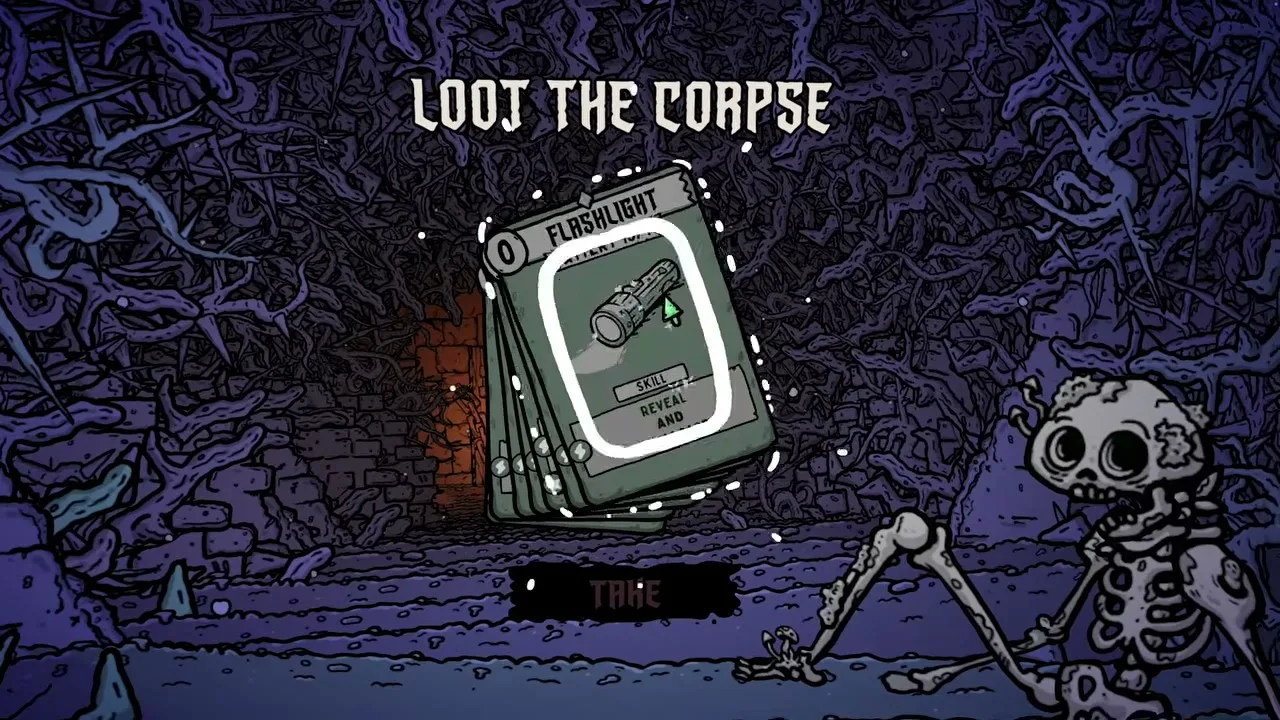
Eat instead of block
“Why block your enemies when you could eat them instead!” asks the store page, which goes on to promise ways to season, skewer or roast what you kill, and a pot to cook the roasted results into soups (see Shroom and Gloom on the Steam store).
Food is also money. A reviewer who played every character on the first map explains that food cards can be eaten for health or saved to spend at the next shop in a Steam user review, and a demo patch made soups spendable too: “All soups can now be used as currency at shops” (demo patch 0.4.71, in Steam announcement: 2 months of demo updates lead to this! Shroom and Gloom 0.4.71 is here!). Every bite is a choice between health now and a better card later. How the killing blow decides whether an enemy becomes food is covered on the enemies page.
The rhythm of a run
Your first run, step by step
Step 1
Pick the first character on the first path
Shortly before launch the developers set out the plan: “our plan is that the first character on the first path offers a very accessible intro to Shroom and Gloom”, with the other characters and unlockable Gloom Levels as the harder options (Team Lazerbeam, replying in Steam discussion: Dear Devs). They haven’t named which character that is. Comparing the cast, one player wrote “The paperboy was very straightforward and I completed my run on my first try.” (in Steam discussion: Love the game, hate the janitor) Who unlocks after whom is on characters and unlocks.
Step 2
Walk: the W card is an instruction
The run opens on a hand holding a card marked W. Players on the demo forum worked out that it is telling you to hold W and walk forward, not asking you to play it, and the developers added that the up arrow key or the middle mouse button also walk you forward (both in Steam discussion: Unable to play. I see the "W" card but nothing is happening). If none of those move you, the workarounds players found are in tips.
Step 3
Work the room before you leave it
When reworked exploration reached the demo, the developers listed what explore cards are for: “Light torches to camp in safety! Feed the creatures you encounter! Reveal, break, fix or unlock to grow your decks”, and warned that staying too long lets The Gloom take you (in Steam announcement: Huge demo update! Early Access release announced! Shroom and Gloom Jun Dev Log!). The reviewer mentioned above admits treating these rooms as trivial at first, then realising how much value they hold. Resting in camp gets you a new hand, but what it does to your health is argued over, so read resting and camp before you lean on it.
Step 4
Fight with the combat deck
For Early Access the developers made targeting easier to read: “Each card now indicates if it’ll hit a single enemies, multiple enemies, or apply a buff to you.” (in Steam announcement: Shroom and Gloom explodes into Early Access!) The same update added a card inspector, which they say should help when playing on handheld devices.
Step 5
Take rewards, and turn some down
A reward screen can offer three cards and let you take none of them, and a bigger deck is not automatically a better one. Shops are run by moles; the prototype already had a Hungry Mole and a Sneaky Mole (in Team Lazerbeam devlog on itch.io: Shroom and Gloom Mega Updates). They take food on the first path, while players on the second path report paying in data instead (in Steam discussion: Love the game, hate the janitor). The order of rooms, forks and fights is laid out on the walkthrough.
Step 6
Die, keep what you learned, go again
A lost run still counts for something. One reviewer lists what carries over: “The map stays revealed even after dying, you get more cards, and you unlock more characters from playing.” (in a Steam user review) The launch announcement names quests as the way to earn the advanced characters and access to The Facility.
When the game saves
Saves arrived with Early Access, and the launch announcement names the moments: “Each time you win a fight, or escape a dungeon your progress will be auto saved!” (in Steam announcement: Shroom and Gloom explodes into Early Access!). Those are the only two save points the developers describe. The autosave before a fight is also the way out of a stuck run, which tips explains.
After your first run
- Tips: developer replies and player advice that save runs.
- Bosses: what waits at the end of each path.
- Early Access: what is in the game now and what is planned.
- Multiplayer: whether you can play a run with friends.
- Similar games: the deckbuilders reviewers compare it to.